Cable Management Ideas for a Clean Desk
A renter-friendly routine for mapping, grouping and hiding cables without blocking access to power or ports.
Cable management is less about buying a kit and more about deciding where each cable needs to go. Once the route is clear, a tray, a few ties and a label solve most of the mess. The result should be easy to maintain, not a sealed sculpture under the desk.
These ideas work in rented rooms because they rely on clamps, adhesive mounts and removable trays rather than drilling. Check the surface and the weight limits before attaching anything.
1Map before you buy
Unplug everything and lay the cables out. Note which ones stay on the desk, which go to the floor and which need to move. A cable that charges a phone occasionally does not need the same treatment as the monitor cable that never moves.
Group by destination: power, display, peripherals and charging. This makes it easier to choose a tray size and to leave slack where you need it.
2Use a tray for the power strip
An under-desk tray keeps the power strip and adapters off the floor and out of sight. Mount it so the sockets remain reachable; a tray that is too far back turns a simple unplug into a crawl. Check the desk thickness and the weight the tray can hold.
If you cannot clamp a tray, an adhesive mount may work on a clean, smooth surface, but it may not hold on rough wood or textured laminate. Follow the manufacturer’s cure time before loading it.
3Sleeves, ties and the cables you cannot hide
Bundle cables that share a route with a sleeve or reusable ties. Avoid tight zip ties on soft cables; they can pinch. Leave a service loop near the device so you can move it without pulling the plug out of the wall.
Label both ends of the cables you unplug often. A small label is faster than tracing a cable behind the desk. If a cable is visible, route it along a straight edge or behind a monitor arm instead of letting it cross the desk.
4Keep it maintainable
Leave access to the power switch, the router and the ports you use. A perfectly hidden setup that requires moving the desk to unplug a charger is not finished. Once a month, check that nothing is hot, pinched or pulling on a connector.
Cable management is part of the setup, not a one-time project. When you add a device, route its cable immediately instead of letting it join the pile.
Our picks
- 1

Cable management
Cinati Under Desk Cable Management Tray, 13.4 in, White
A white under-desk metal tray for the power strip and spare adapters.
See productAffiliate link - 2
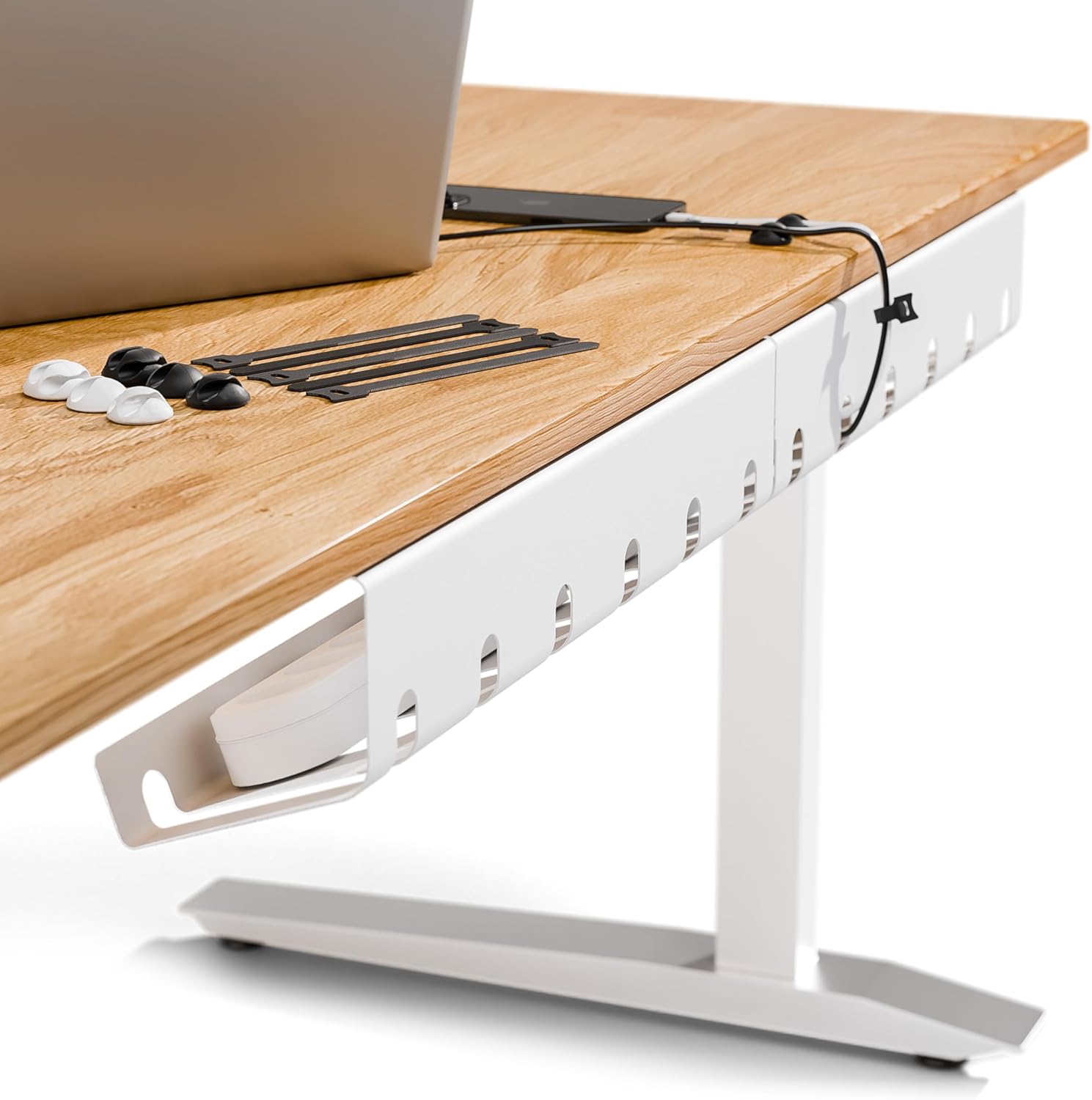
Cable management
PAMO Cable Management Under Desk, Set of 2, White
A set of two under-desk cable management pieces for a simple, renter-friendly install.
See productAffiliate link - 3

Cable management
N NOROCME 192 PCS Cable Management Kit
A kit of sleeves and ties for grouping visible cables and labeling runs.
See productAffiliate link - 4

Monitor arms
Ergounion Single Monitor Arm, Aluminum, Silver
A monitor arm that can help route the display cable away from the desk surface.
See productAffiliate link
Route first, buy second. Keep power accessible and leave a service loop. Confirm clamp and weight limits on the current Amazon listing before installing.
These guides are based on the product information shown in our catalog and publicly available listings. They are not hands-on lab tests, and prices or availability may change.
As an Amazon Associate I earn from qualifying purchases. Some links on this page are affiliate links. If you buy through them, we may earn a commission at no extra cost to you. Affiliate disclosure