Best Budget Desk Setup Essentials
Where to spend first, where to save and which upgrades actually improve a small desk on a limited budget.
A budget setup should solve problems, not fill a shopping cart. The first priorities are usually comfort and light: a screen at a sensible height, a keyboard and mouse you can use without pain, and a lamp that lets you see the desk. Decoration comes later.
The catalog items below are real, and some are explicitly described as budget options in our notes. We do not display prices because they change; check the current listing on Amazon.
1Fix the ergonomics before the aesthetics
If the screen is too low, you will feel it in your neck before you notice the color of your keyboard. Raise the laptop or monitor to eye level with a stand or an arm. If the desk is too high, a footrest or an adjustable chair matters more than another accessory.
A cheap monitor arm is not automatically a good idea. Check the weight range, the VESA pattern and the desk thickness it supports. An arm that cannot hold the screen safely is worse than the stand that came in the box.


2Spend on the things you touch
The keyboard and mouse are in your hands all day, so they deserve the most attention. A budget membrane keyboard can be perfectly usable; a mechanical keyboard adds switch feel and customisation, but it can also be louder and heavier. Choose based on the work, not on the price tag.
A combo can be the simplest way to equip a first desk, especially if you want a consistent look. Check the layout (full size, tenkeyless, compact) and whether the mouse is comfortable for your hand. Ergonomic fit is personal and cannot be promised by a product listing.
 Keyboard + mouse combosPerixx PERIDUO-713 Wireless Mini Keyboard and Mouse Combo, Pastel PinkAffiliate link
 Keyboardswegear Pastel Wireless Keyboard, PinkAffiliate link
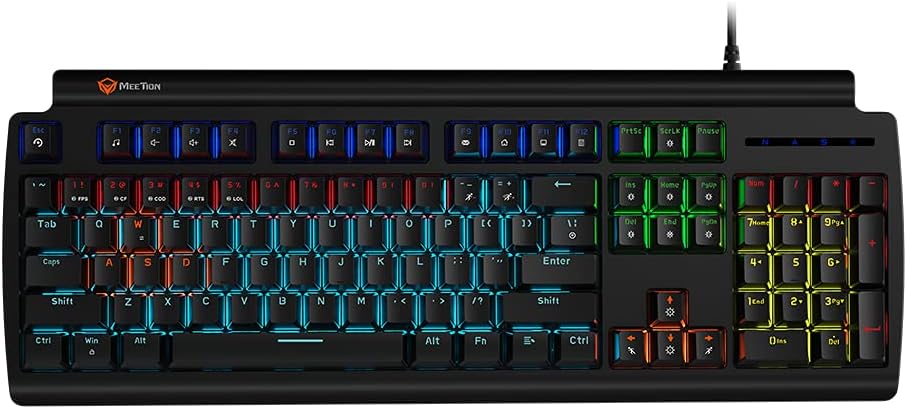 KeyboardsMEETION MK600RD Red Switch RGB Mechanical Gaming KeyboardAffiliate link
 MiceLogitech G305 Lightspeed Wireless Gaming Mouse, BlackAffiliate link
3Light and cable control are cheap wins
A simple desk lamp with a warm mode changes the room more than a new mouse pad. A monitor light can be useful if you have limited desk space, but it is not necessary if you already have a lamp that does not reflect on the screen.
Cable clutter is usually solved with a tray and a few ties, not with a new desk. Start with the cables that cross your field of view or touch your feet. Leave the rest alone until it becomes a real problem.
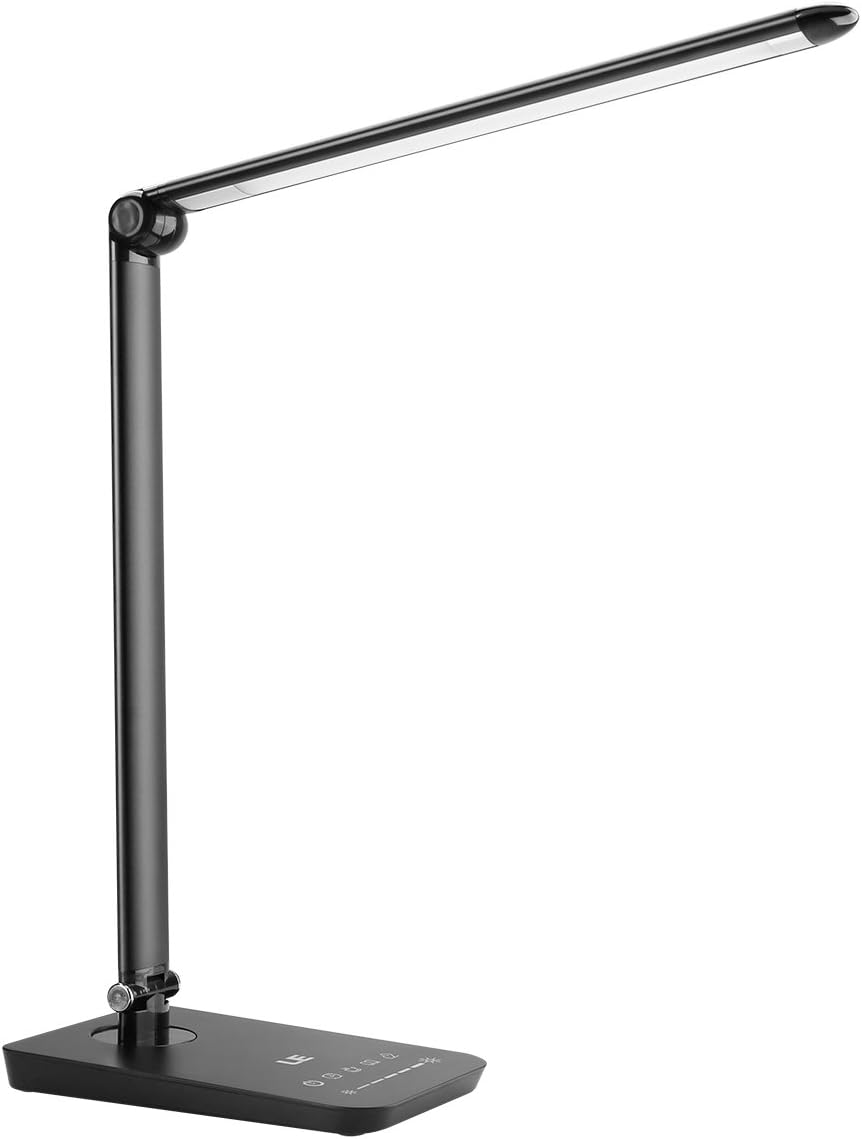 Desk lampsLE Dimmable LED Desk Lamp with USB Port, 3 color modesAffiliate link
 Cable managementCinati Under Desk Cable Management Tray, 13.4 in, WhiteAffiliate link
 Cable managementN NOROCME 192 PCS Cable Management KitAffiliate link
 Desk matsHahafelt Large Scalloped Desk Mat, Sage Green, 31.5 x 15.8 inAffiliate link
4What not to buy yet
Do not buy decorative objects to solve a storage problem. Do not buy a second screen before you have a place to put it. Do not buy a giant mat for a small desk. And do not replace a working keyboard just because a guide says mechanical is better.
A budget setup is finished when it is comfortable enough to use every day. Upgrades can wait until you can name the specific problem they solve.
Our picks
- 1
Keyboard + mouse combos
Perixx PERIDUO-713 Wireless Mini Keyboard and Mouse Combo, Pastel Pink
A compact wireless keyboard and mouse combo described in our notes as a budget option with retro round keycaps.
See productAffiliate link - 2
Keyboards
MEETION MK600RD Red Switch RGB Mechanical Gaming Keyboard
A budget mechanical gaming keyboard option in the catalog; check the switch type and layout on the listing.
See productAffiliate link - 3
Mice
Logitech G305 Lightspeed Wireless Gaming Mouse, Black
A wireless gaming mouse described as a good budget pick in our notes, without RGB.
See productAffiliate link - 4
Cable management
Cinati Under Desk Cable Management Tray, 13.4 in, White
An under-desk metal tray that hides the power strip for a small cost.
See productAffiliate link - 5
Desk mats
Hahafelt Large Scalloped Desk Mat, Sage Green, 31.5 x 15.8 in
A large felt mat that protects the desk and groups the keyboard and mouse visually.
See productAffiliate link - 6
Desk lamps
LE Dimmable LED Desk Lamp with USB Port, 3 color modes
A dimmable LED desk lamp with a USB port and multiple color modes; use a warm mode for evening work.
See productAffiliate link
Prioritise comfort, light and cable control. Add decoration only after the desk works. Confirm current prices, compatibility and availability on Amazon before buying.
These guides are based on the product information shown in our catalog and publicly available listings. They are not hands-on lab tests, and prices or availability may change.
As an Amazon Associate I earn from qualifying purchases. Some links on this page are affiliate links. If you buy through them, we may earn a commission at no extra cost to you. Affiliate disclosure